Strength training, done right
Log the set. Coach handles the rest.
A strength-training app that keeps up with the gym — supersets, rest timers, plate math, and instant PRs across 879 exercises. Coach reads your training and tells you what to lift next.
iPhone · Apple Watch · Android · Wear OS · Web · where each one stands today
Built by one engineer who lifts. Every feature is a documented API, every record is exportable, and nothing you log is ever sold.
Log fast
Fast enough for the rest between sets
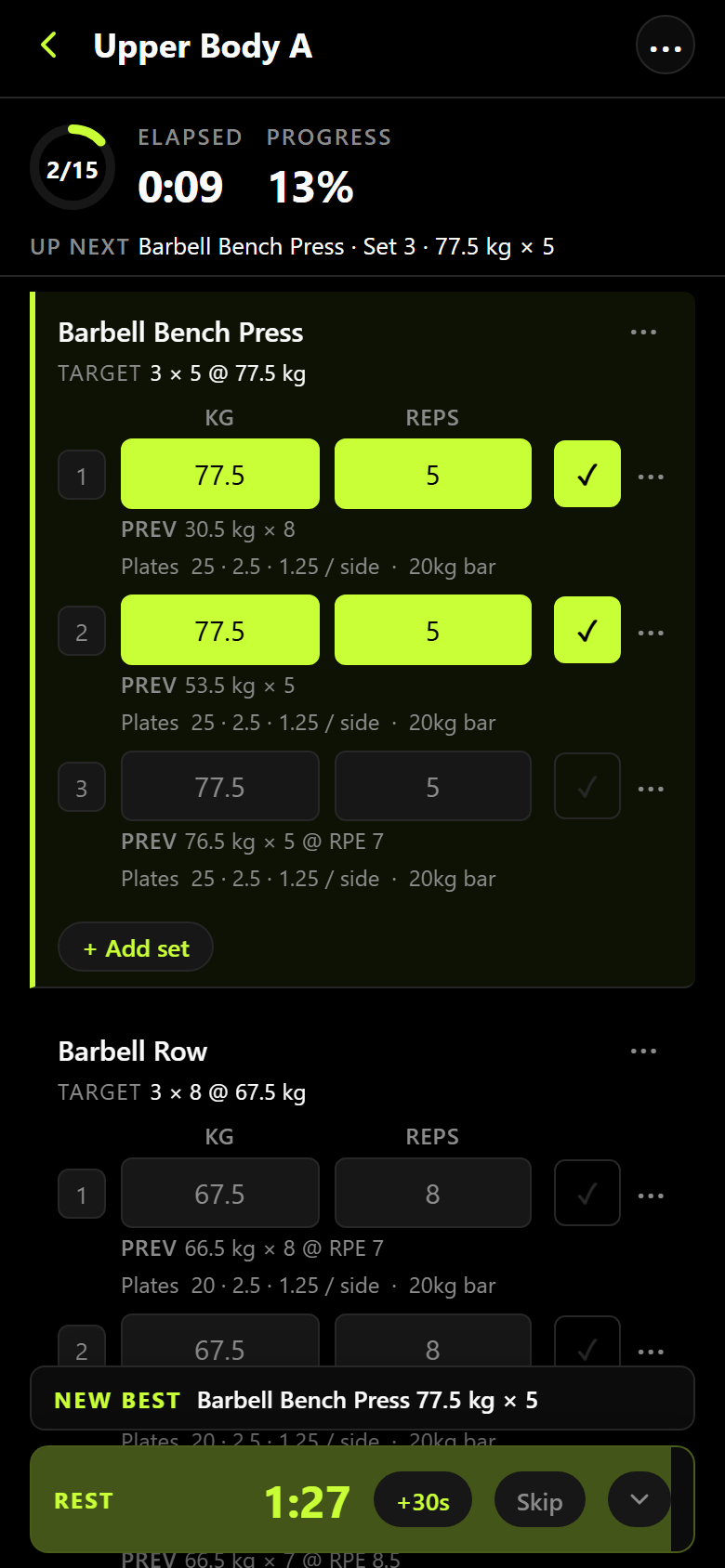
Tap the set, it's logged. Warm-up ramps build themselves, the rest timer starts on its own, and the plate math tells you what goes on each side of the bar. Supersets, drop sets, AMRAPs, back-offs, RPE, and cardio with distance and pace all log without leaving the screen, and last time's numbers sit under every row. Every set type, in the guide.
879 exercises ship built in, with muscles, equipment, and form images. Logging lands instantly on your phone and catches up when you have signal, so airplane mode is a supported way to train.
Meet Coach
Coach is the trainer that reads your logbook
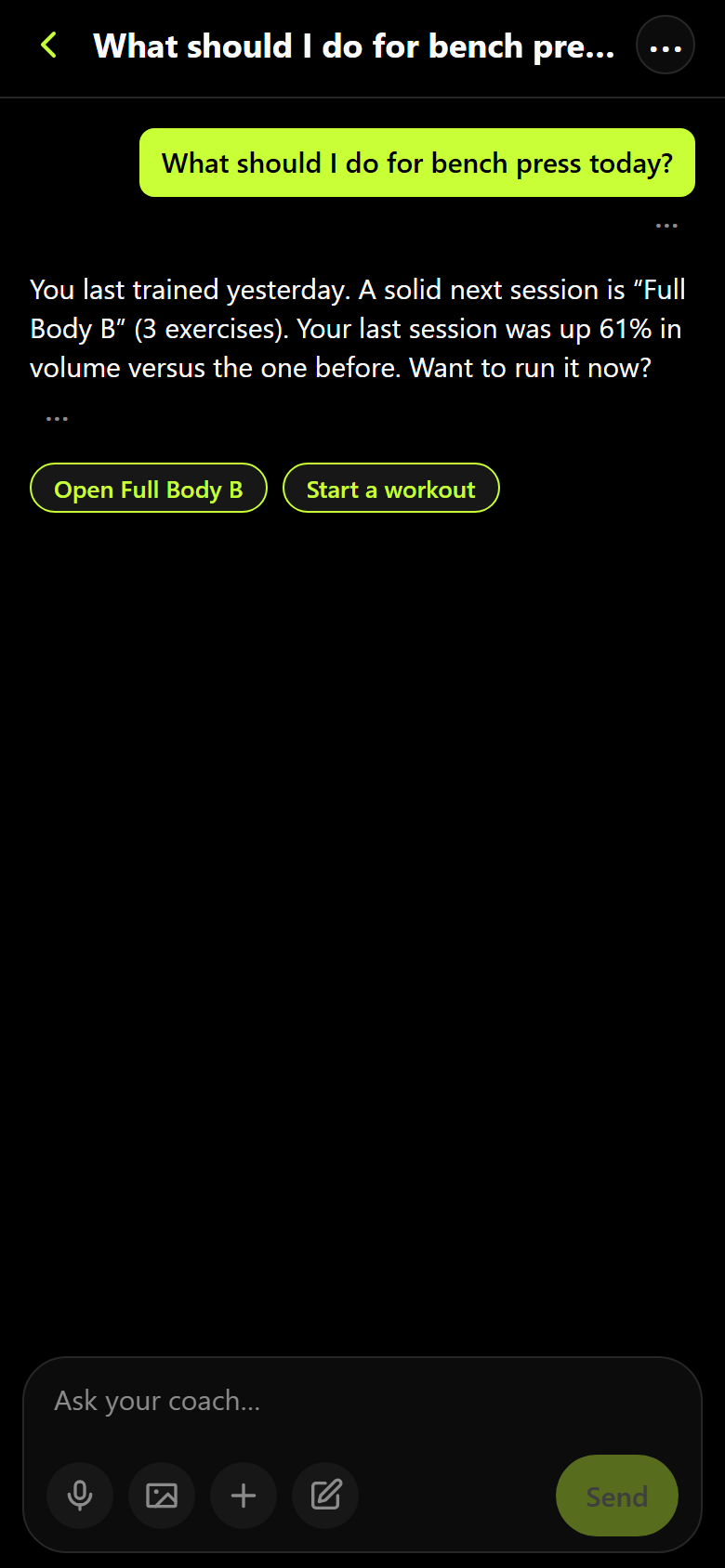
Coach knows every session you've logged, every PR you hold, and how much volume each muscle has taken this week. Ask what to do today and the answer comes from your training, not from a blog post.
Coach does the math, it doesn't guess at it. Every weight comes back through the same plate calculator and %1RM tables that run inside the app, so it cannot round a lift wrong in a sentence.
Coach proposes, you approve. A new workout, a change to your routine, a settings tweak — each arrives as a card you accept or discard. The notes Coach keeps about you live on one screen you can edit or revert.
Coach comes with a free trial on any plan, no card, and a month on your own AI key. After that it's paid: the AI plan runs it for you, or on your own key.
Coach also writes on its own: a short review of a session a couple of minutes after you finish it, and a summary when your week turns over. Those run in the background without you asking, so there is a switch — Summarize my workouts, under Settings → AI coach & memory. With it off neither is written, and nothing about a session is sent to a model for one. What goes out while it is on is set out on the privacy page.
Wrist and lock screen
Train from your wrist
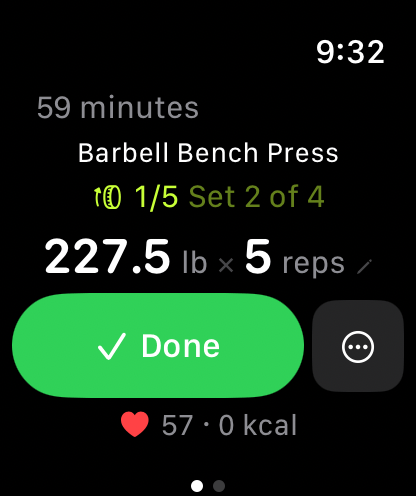
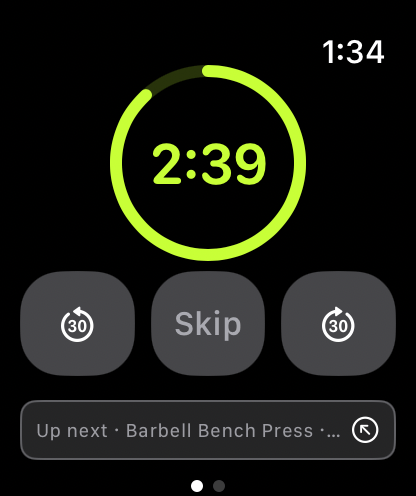
On Apple Watch, the watch does the whole workout. Leave the phone in the bag. Pick a workout on the watch, log every set with the Digital Crown, type exact weights on a real keypad, and the session uploads itself when you're done — offline the entire time is fine. Running the workout from your phone instead? The watch mirrors it live.
Cardio too: treadmill or GPS, with live pace, distance, and heart rate. Every session runs a real HealthKit workout, so it counts toward your rings.
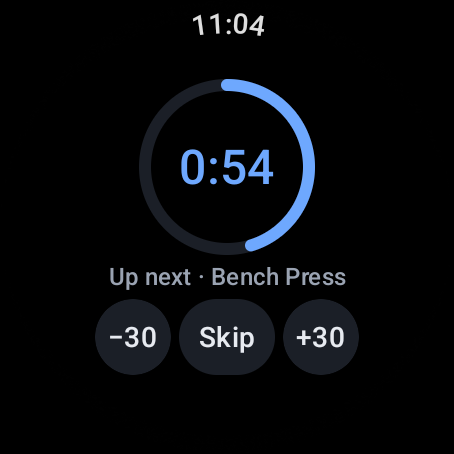
On Wear OS, the watch mirrors a workout running on your phone. The set you're on, the load and the reps — change either from the wrist, check the set off, and run the rest countdown there. The phone stays in charge: the workout starts there, and it needs to be with you.
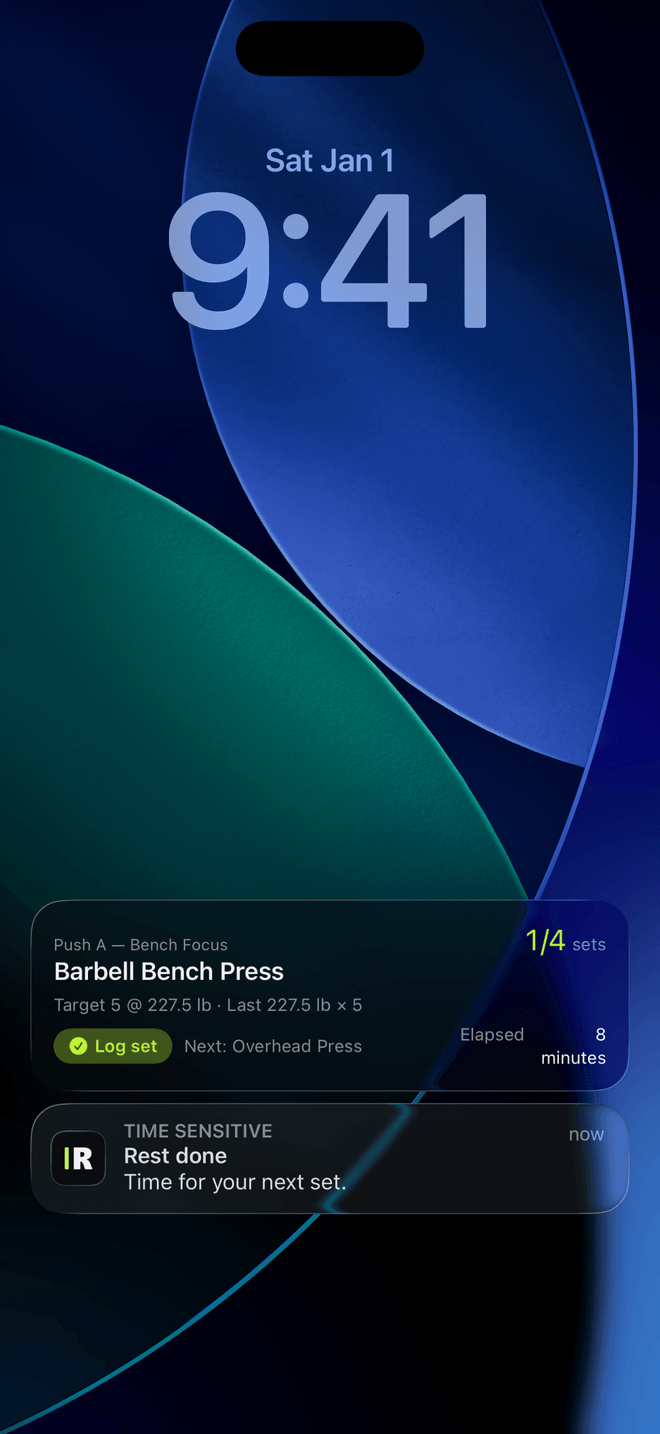
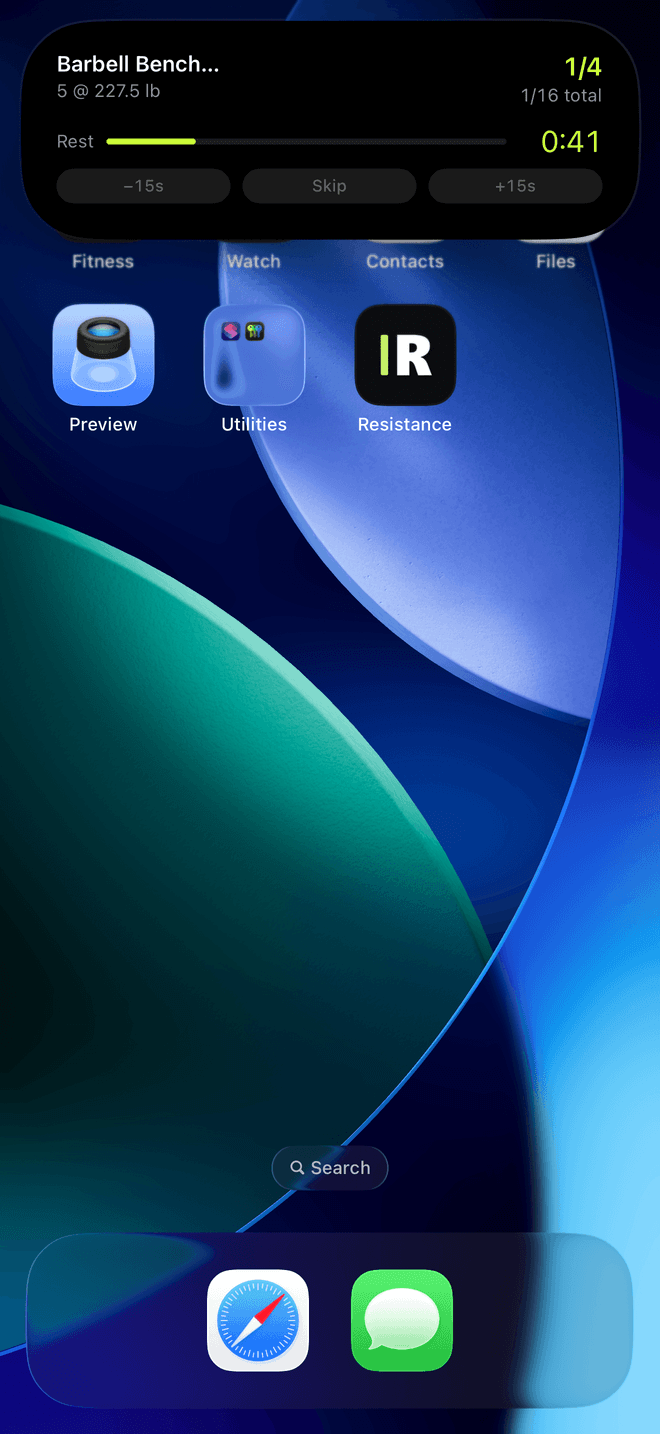
Phone in hand, the workout sits on your lock screen. On iPhone that's the Live Activity and the Dynamic Island — current exercise, sets done, next target — and you can log the set or add fifteen seconds without opening the app. On Android the same workout mirrors quietly into your notification shade, as something to read rather than tap.
The watch app is part of Pro, on both wrists.
Charts and the dashboard
Numbers that mean something
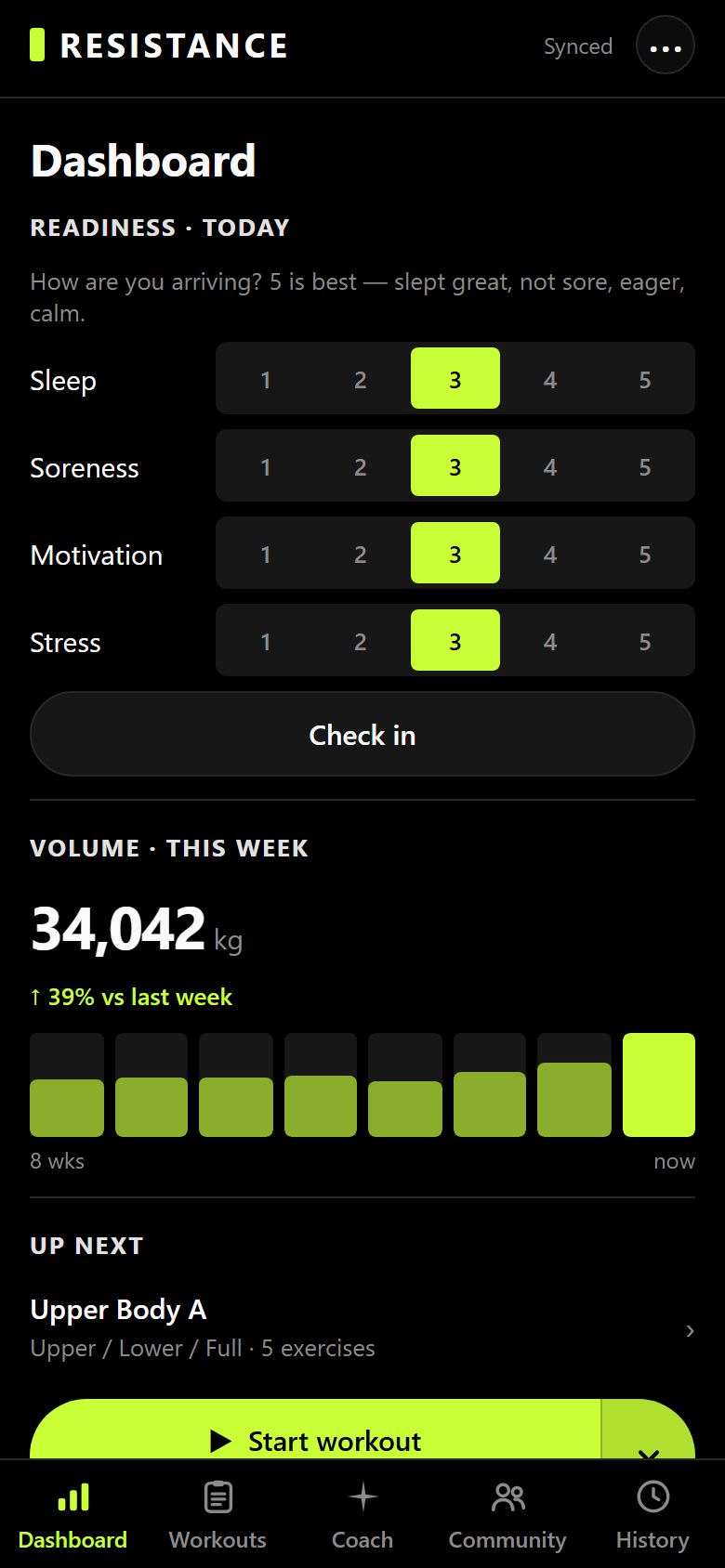
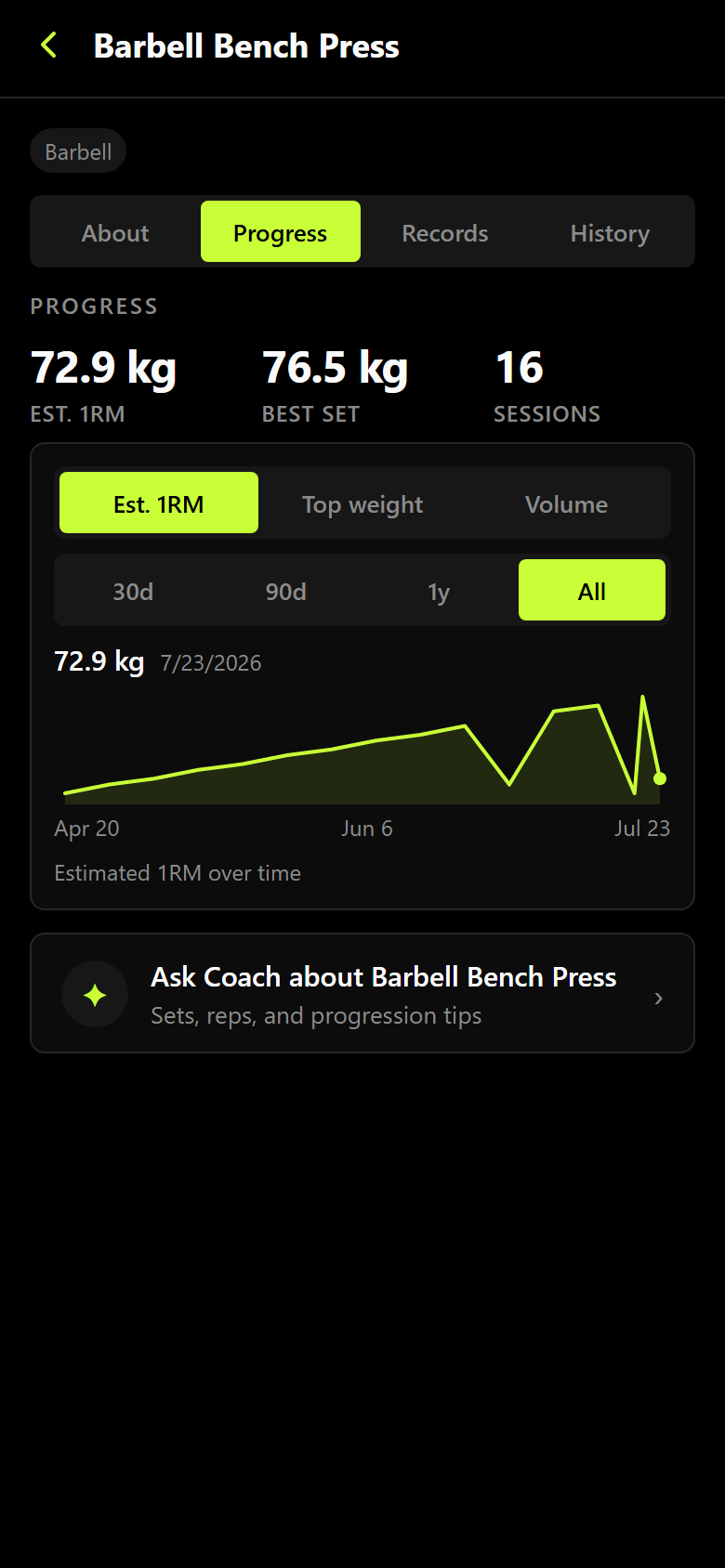
Six kinds of personal record are caught on every set, and corrected backwards if you fix a mistake in old history. Estimated 1RM, top set, and volume chart per exercise over any window. Weekly volume per muscle is scored against real training landmarks, so a muscle that's under-stimulated — or running past what you'll recover from — is visible.
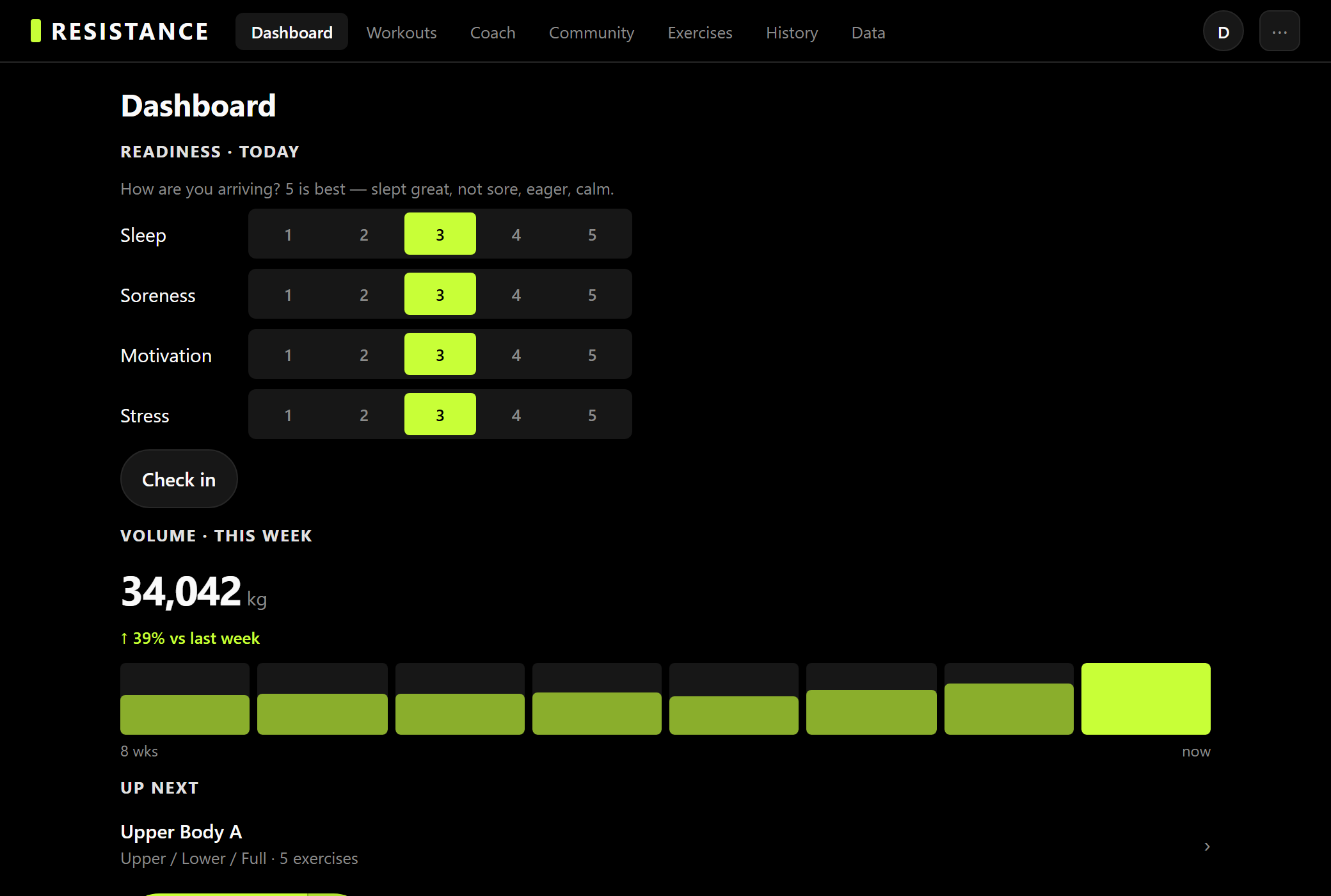
The home screen is yours to build from eighteen widgets you drag, resize, and reorder. A thirty-second check-in on sleep, soreness, motivation, and stress turns into a concrete change to today's session, computed on your phone, on every plan.
Where it runs
Every surface, one account
-
iPhone
TestFlight betaLive Activity, Dynamic Island, Apple Health. The App Store release lands at launch — ask for a beta invite in the meantime.
-
Apple Watch
Included with ProA full workout from your wrist. Installs from your iPhone once you have the app.
-
Android
Google Play at launchThe whole logbook, Health Connect for finished sessions and bodyweight, and the live workout in your notification shade. The Google Play release lands at launch, with testing before it — ask to be told when it opens.
-
Wear OS
Google Play at launchMirrors a workout running on your phone: the set you're on, the load and the reps, and the rest countdown, all changeable from the wrist. It follows the phone rather than replacing it, and it ships in the same Google Play listing as the Android app. Part of Pro.
-
Web
Available nowThe whole app at app.rezist.ai — nothing to install, same account, same data.
-
Anything that speaks HTTP
Included on every planAn MCP server for AI agents, a command-line client, a typed TypeScript SDK, and signed webhooks. More on that below.
Community and programs
Training is better with witnesses
Follow lifters, share a session to a feed, start a club, or run a challenge with a live leaderboard. Publish a program you've built, install someone else's in one tap, and keep the good ones in a collection — installs never count against your limits.
Your data, your API
No lock-in, by construction
Every feature in the app is a documented HTTP endpoint — over 140 of them, from one typed schema. There's an MCP server so any AI agent can log your training, a command-line client, a TypeScript SDK, signed webhooks, and scoped tokens.
Your routines export as YAML you can edit and import back with a dry-run diff; your account exports as JSON in one tap; deleting is one tap and permanent. Coming from Strong or Hevy? Paste the CSV, preview exactly what will be created, then import. None of it is behind a plan.
Pricing
Take your training further
Free
$0Unlimited logging, all 20 starter programs and sessions, personal records, the community, and 90 days of charts. Six workout templates and five custom exercises of your own, plus a free trial of Coach.
Pro
$4.99/mo or $29.99/yrThe watch app on Apple Watch and Wear OS, routines you build yourself, unlimited templates and custom exercises, charts across your entire history, and marketplace publishing.
AI
$19.99/mo or $149.99/yrEverything in Pro, and we run Coach: a chat that knows your whole history and does the math on your next session, with no AI key of your own to bring. Prefer your own key? Coach runs on that too.
Questions
The short answers
Is it free to use?
Free is a complete tracker: unlimited logging, all 20 starter programs and sessions, charts, personal records, and the community. Pro adds the watch, building your own routines, and lifts the caps.
Can I use it without an internet connection?
Yes, entirely. Logging is local first and syncs when you're back on a network.
Do I have to pay for the AI?
Broadly yes: talking to Coach is paid. Every account gets a free trial first, on any plan, no card, and a month of Coach on your own AI key. After that, the AI plan keeps Coach going: we run it for you, or it runs on your own key. Everything that isn't Coach — logging, your history, charts, records, the starter programs, the community — is free and needs no AI at all.
Can I bring my history from another app?
Strong and Hevy CSV exports import, with a preview of exactly what will be created first.
Is there an Android app?
Yes — the whole app, with Health Connect and a Wear OS watch app. It arrives on Google Play at launch, with testing before it.
Start your next session in Resistance
Free to start. No card. Export or delete everything whenever you want.