Logging a workout
What this covers: starting a session, the set row, the six set types, rest timers and plate math, supersets, and what happens when you edit history.
Starting
- From a template — Dashboard → the start button, or Workouts → pick a workout → Start workout. The session opens pre-filled with the target sets, and last time's numbers under each row.
- Empty — start with nothing and add exercises as you go. Useful when you're improvising or the gym is full.
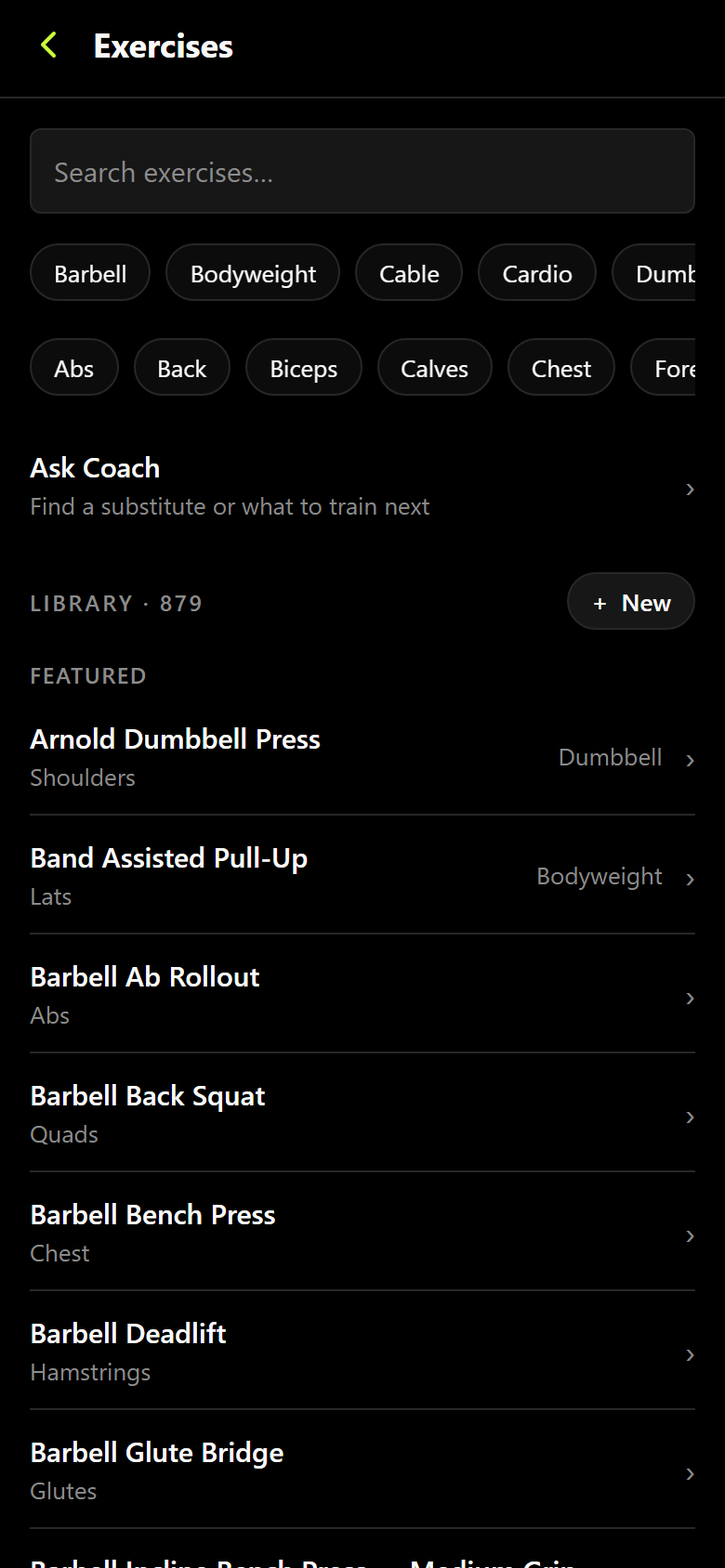
Adding an exercise mid-session searches the same library a template builds from — 879 movements, filtered by equipment or muscle group. If the movement isn't in there, create it straight from the search field and it's yours from then on.
The set row
Every set is one row: weight, reps, and a checkmark. Tap the checkmark and the set is logged, the rest timer starts, and any personal record it just set flashes on the row. The greyed numbers underneath are what you did on this exercise last time.
Exercises come in seven kinds and the row changes to match: weight + reps, bodyweight reps, weighted bodyweight, assisted bodyweight, duration, distance + duration, and reps only. Cardio rows take distance and time and show your pace.
Set types
| Type | Use it for |
|---|---|
| Warm-up | Ramp sets. Excluded from working volume and from personal records. |
| Working | The default. Everything counts. |
| Drop | A set taken immediately after the previous one at a lower weight. |
| Failure | Taken to technical failure. |
| AMRAP | As many reps as possible — the rep count is the result, not the target. |
| Back-off | Lighter volume work after a heavy top set. |
Rest timers, plate math, warm-up ramps
The rest timer starts on its own when you check a set off, and can chime when it's done. Set the default per exercise or globally in Settings → Preferences.
The plate helper shows what goes on each side of the bar for the weight in the row, using your bar weight and the plates you own. The warm-up ramp builds a sensible set of ramp sets up to your working weight, so you don't do that arithmetic under a bar.
Supersets and order
Group two or more exercises into a superset and the session alternates between them instead of resting through each one. Reordering, grouping, and ungrouping all live in the organize sheet on the session screen.
RPE and notes
RPE (or reps-in-reserve) is optional and off by default — turn it on in Preferences if you program with it. Notes come in two flavours: a note on the session, and a note on an exercise that you can push back to the template so it's there next time.
Dumbbells, and work done one side at a time
Enter the weight of one dumbbell or kettlebell — the number printed on the one you picked up. For a movement done a side at a time, enter the reps you did on one side. That is what every exercise expects, and it is what the app shows you back.
Your volume totals then count what you actually moved. A pair of 50 lb dumbbells pressed ten times counts as 1,000 lb, the same as a 100 lb barbell pressed ten times — the same work, so the same number. Ten reps per side counts as twenty reps of work.
This only changes volume. Personal records, your best weight, and 1RM estimates always use the weight exactly as you entered it, because that is the dumbbell you would reach for next time.
Any exercise counted this way says so — on its own page under Details, and above the grid while you log it. If one of yours is counted the wrong way, open the exercise and change Weight moved each rep or Reps counted.
Finishing, and editing later
Finish the session and it's saved with its duration, total volume, and any records it set. You can edit a finished session at any time from History — change a weight, delete a set, delete the whole session.
Editing history is safe. Personal records are recalculated from your whole history for that exercise whenever you change something, so a typo you fix or a set you delete can lower a record back to the truth. Records only ever reflect what's actually in your log.